Training Engineers — Not Button Clickers

Zero Setup.
Launch a Broken Network in Seconds.

Browser-based Cisco troubleshooting labs with real-world faults, automated scoring, and full instructor visibility. No hardware. No install. Just real IOS.

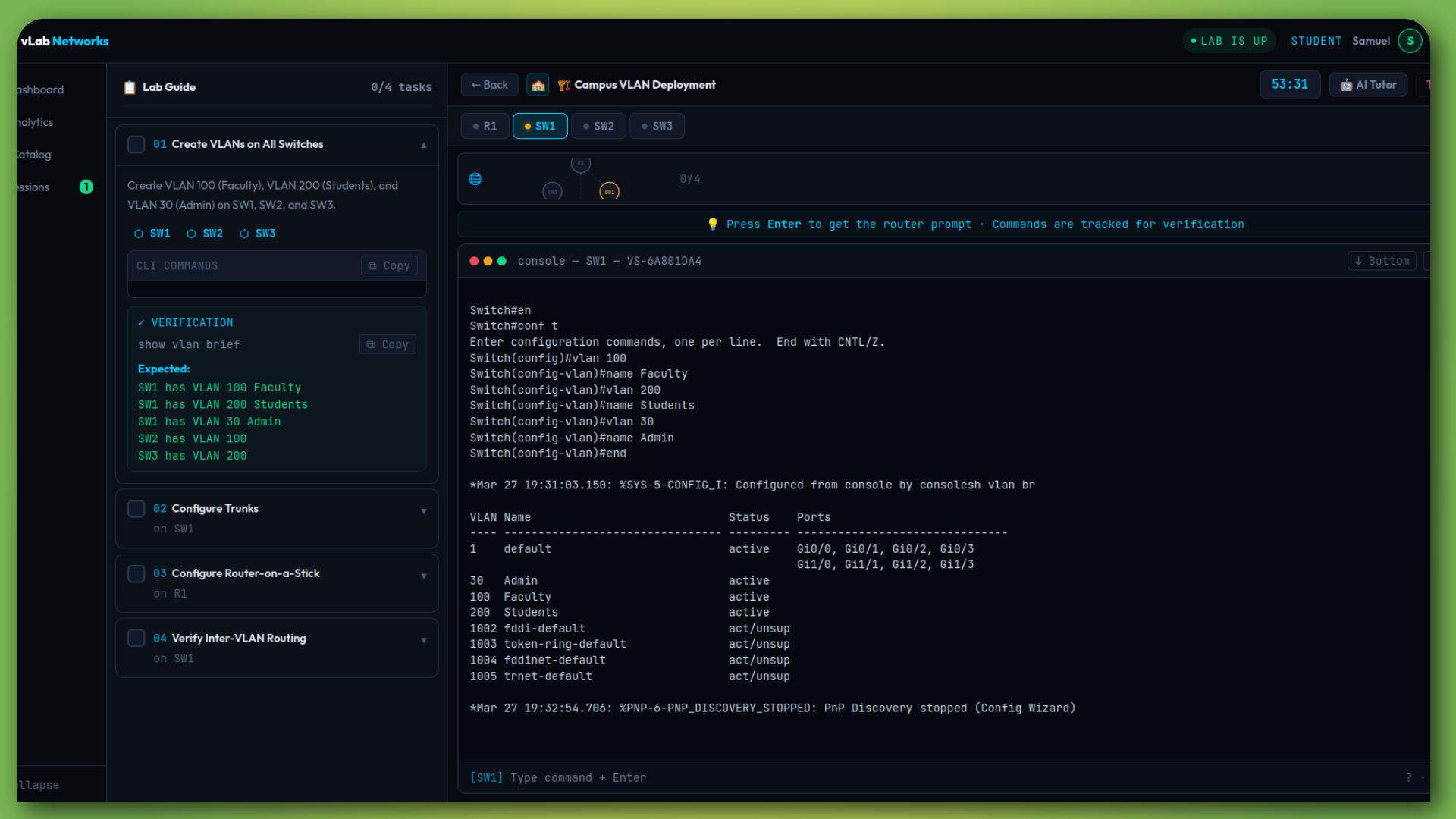
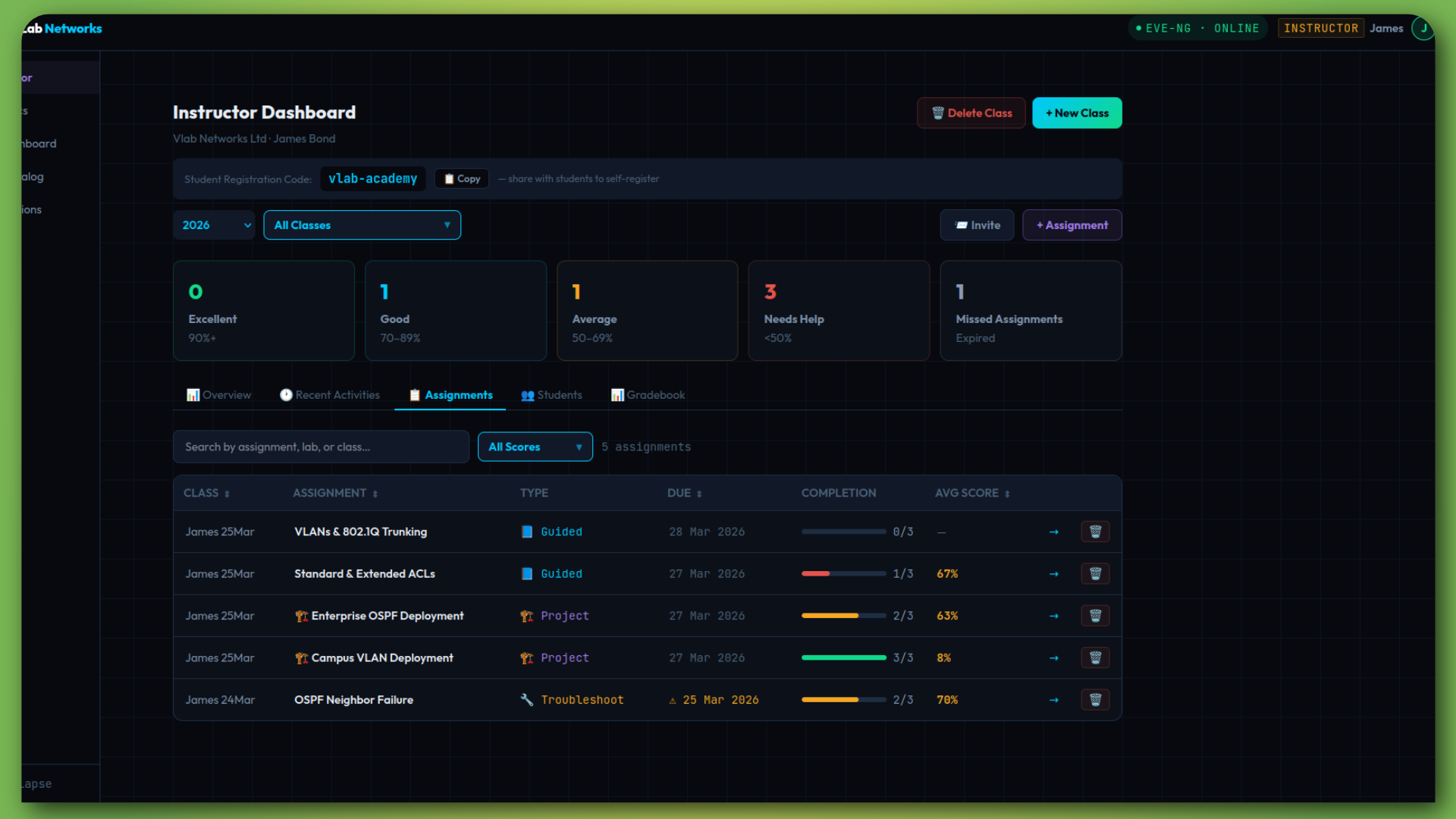
Live Cisco terminalInstructor dashboard
Real Cisco vIOS & IOSvL2
CCNA & CCNP Aligned
34 Practice Labs
24/7 Browser Access
The Reality

Students Pass Exams…
Then Fail on Real Networks

Traditional tools teach configuration. They don't teach troubleshooting. That gap costs real money when graduates hit production.

💷

Expensive Physical Labs

Cisco hardware costs thousands per rack. Most institutions can't scale access for every student.

⚠️

Packet Tracer Isn't Real

Simulators don't replicate real IOS behaviour. Students hit problems on real gear for the first time at work.

💻

EVE-NG Needs Servers

Self-hosted virtualisation demands expensive machines, complex setup, and constant maintenance.

👁️

Instructors Are Blind

No visibility into who's practising, who's stuck, or who needs help. Configs are checked manually.

🔧

Nobody Practises Troubleshooting

Debugging is taught anecdotally, never practised. Students can't diagnose under pressure.

⏱️

Lab Setup Eats Class Time

Provisioning topologies, wiping configs, managing access — it all takes time away from actual learning.

The result? Graduates who can configure a router but can't figure out why it's not working.

🔥 Your Unfair Advantage

Dynamic Troubleshooting Labs.
Different Faults. Every Time.

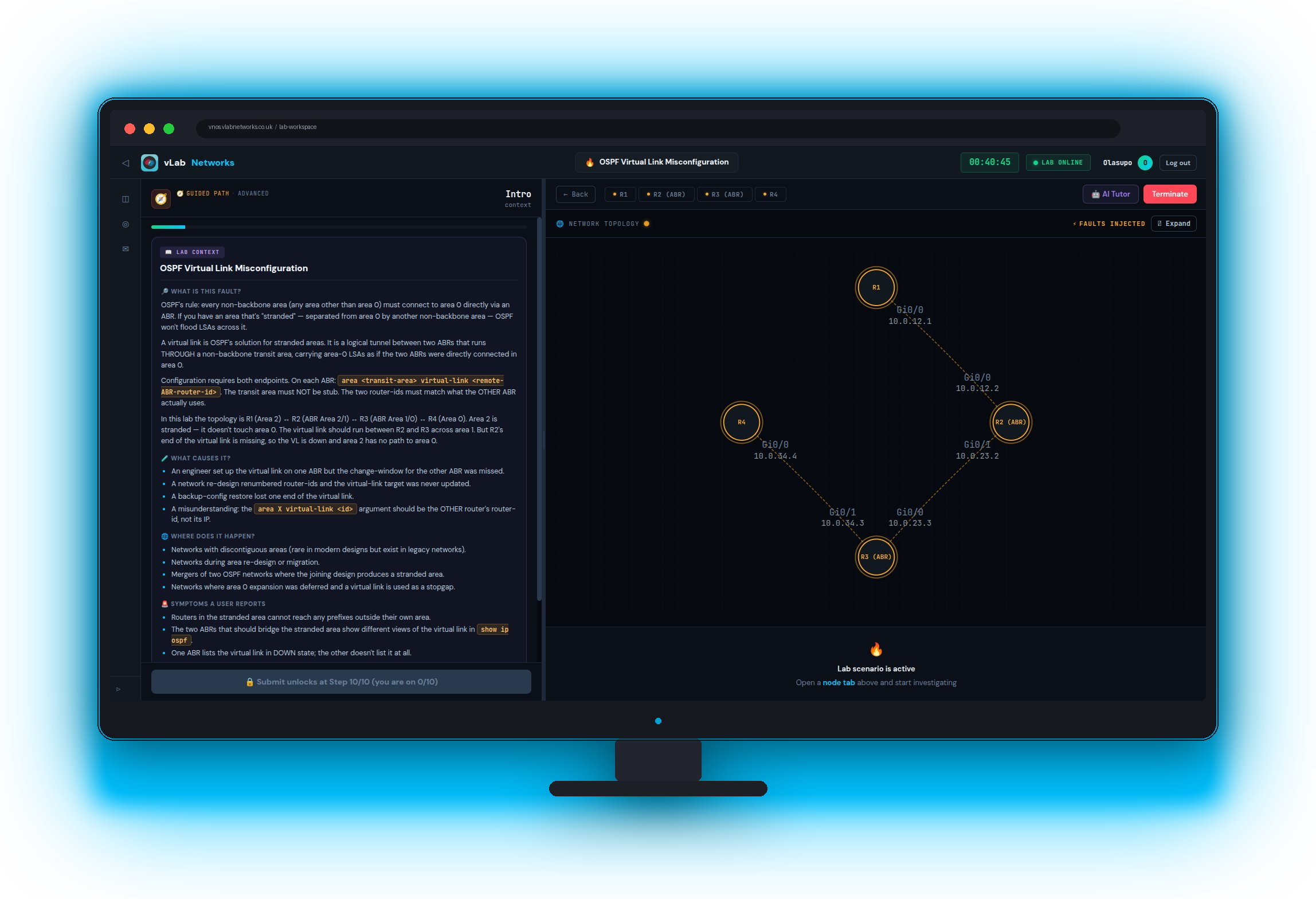
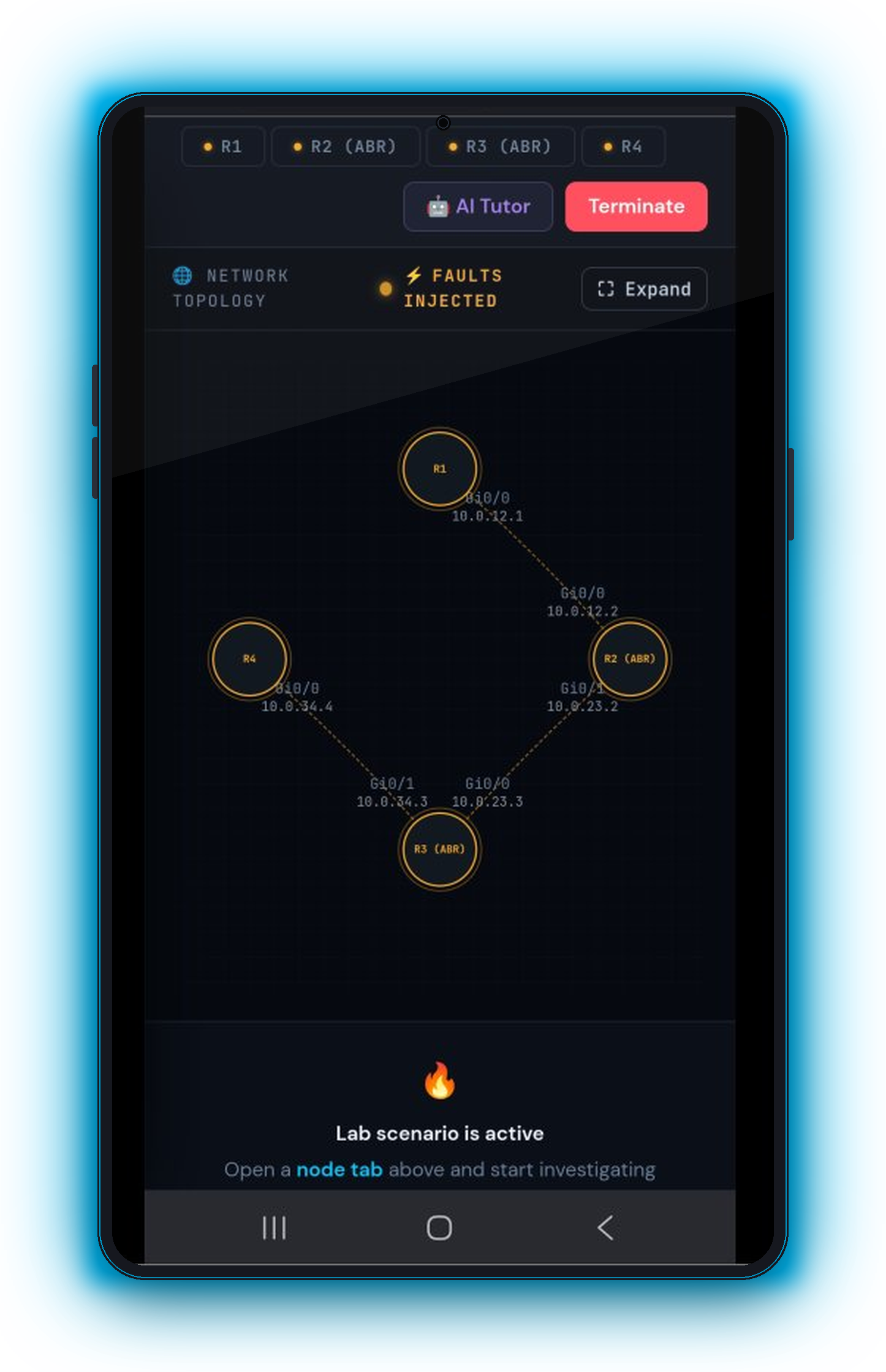
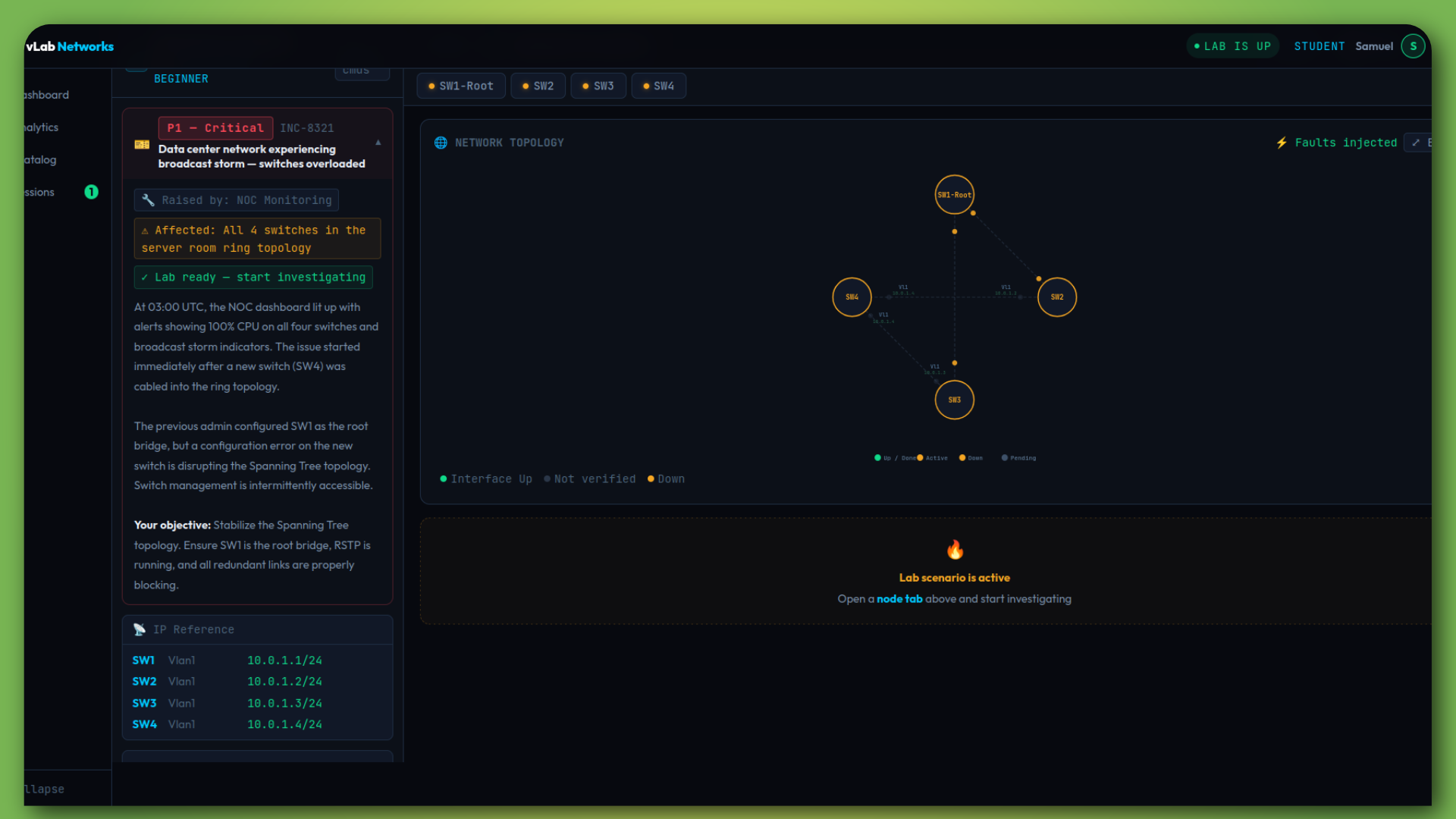
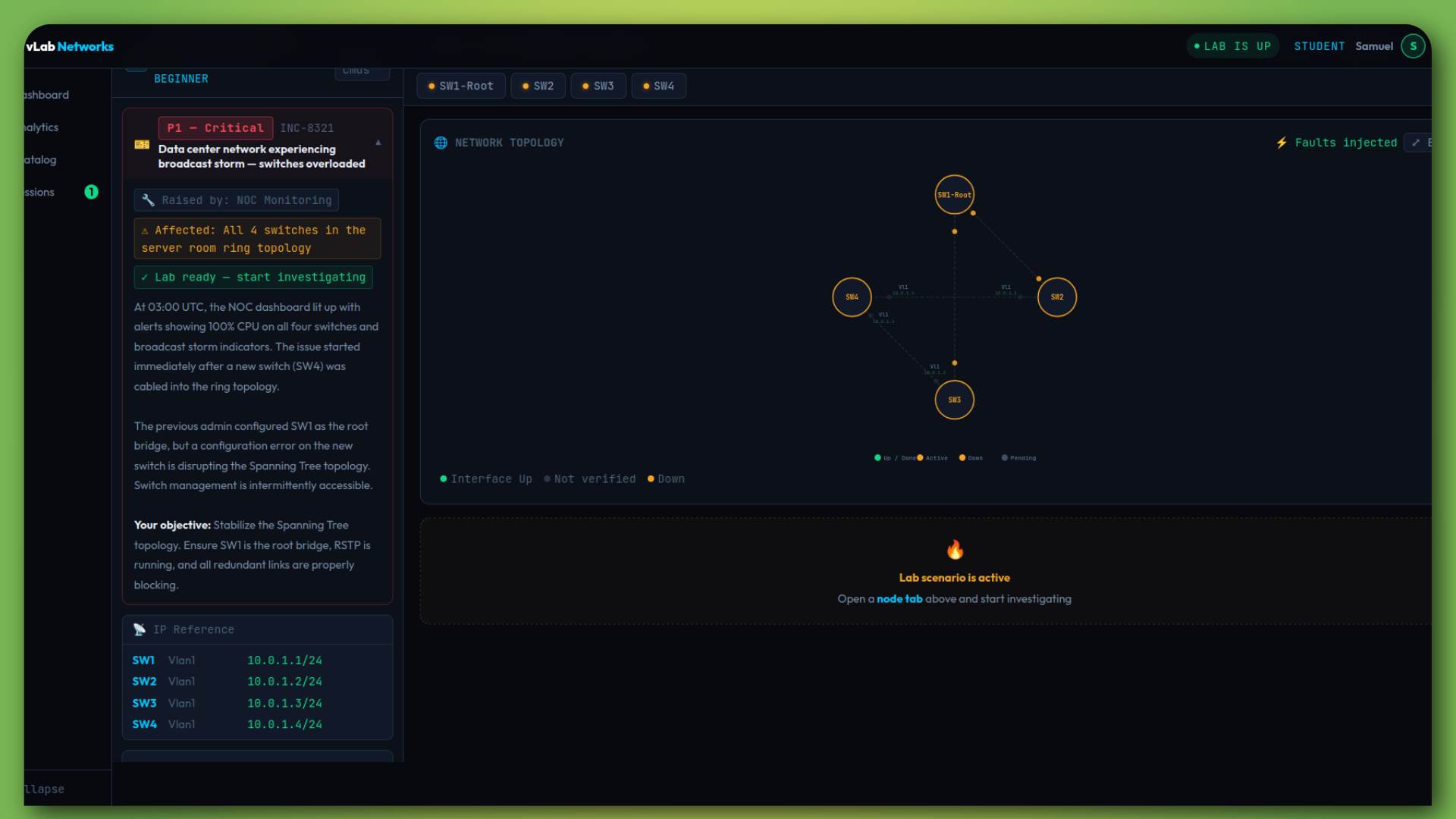
This is not another lab provider. vLab injects real-world faults into live networks — and your students have to find and fix them.

🎲

Random Fault Injection

Every session injects different faults from a pool. No two runs are identical. Students can't memorise the answer.

📊

Automated Scoring

Scored on three axes: did they fix it, how efficiently they diagnosed it, and how fast they worked.

📋

After-Action Report

Every session generates a debrief — the faults, the optimal path, and every command ran.

Troubleshooting lab
Lab Modes

Three Ways to Build Real Skills

From step-by-step guidance to high-pressure troubleshooting — every stage of skill development covered.

📋

Guided Labs

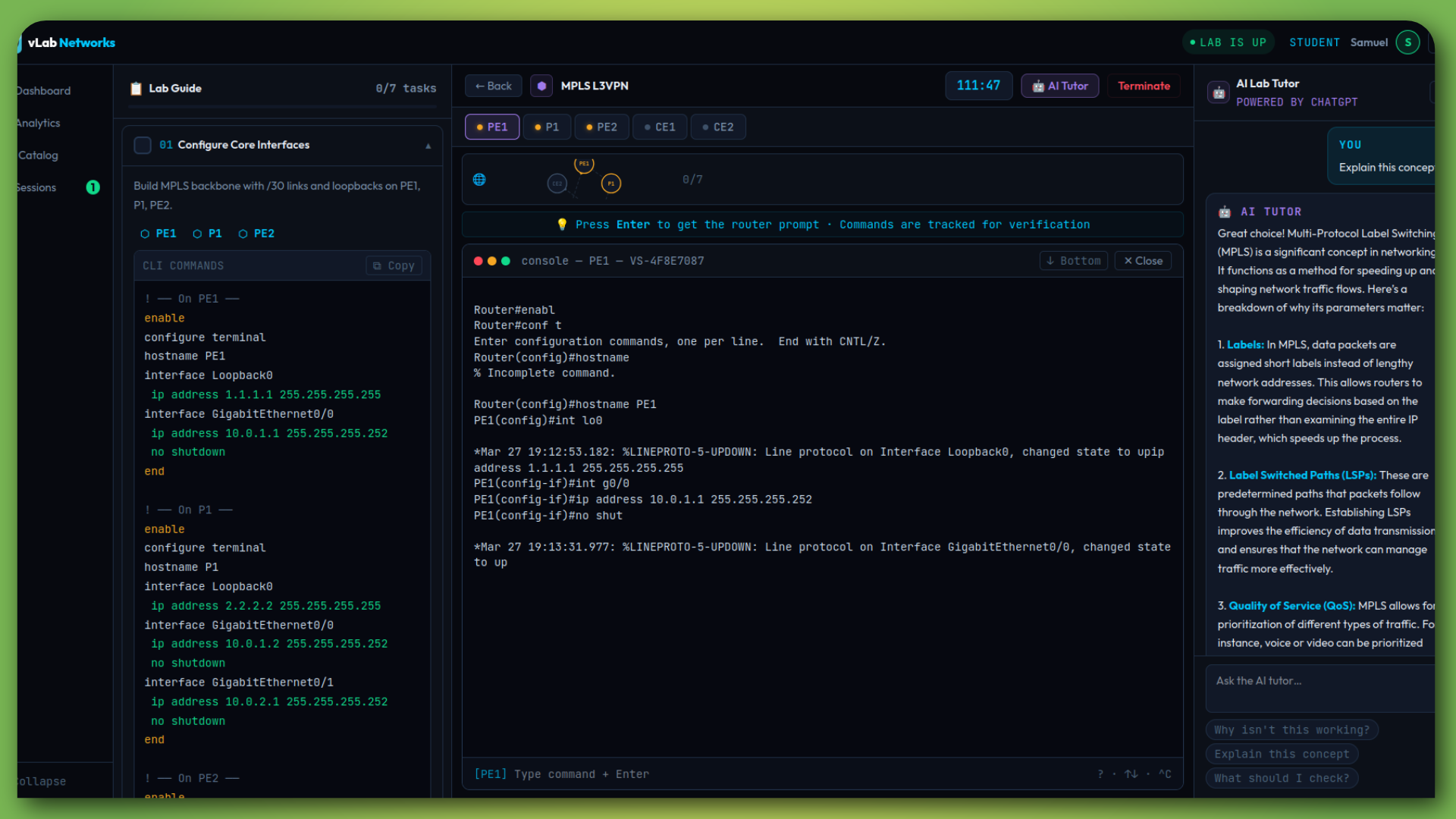
Step-by-step tasks with CLI commands, live topology, and AI tutor. Builds foundational skills with real IOS — not simulation.

Guided Lab
🏗️

Project Labs

Real-world briefs. No commands given. Students design and build the entire solution. Auto-verified against requirements.

Project Lab
🔥

Troubleshooting

Random faults injected every session. Diagnose, fix, get scored. The closest thing to a real outage your students will face.

Troubleshooting
For Instructors

See Exactly Where Students Struggle —
and Intervene Early

Full classroom management with assignments, gradebook, and real-time activity tracking.

Instructor Dashboard

One screen for everything — class-wide stats, topic performance, struggling students, and live activity.

  • Create classes with shareable registration codes
  • Assign any lab type with due dates
  • See which topics students struggle with most
  • Colour-coded performance — spot problems instantly
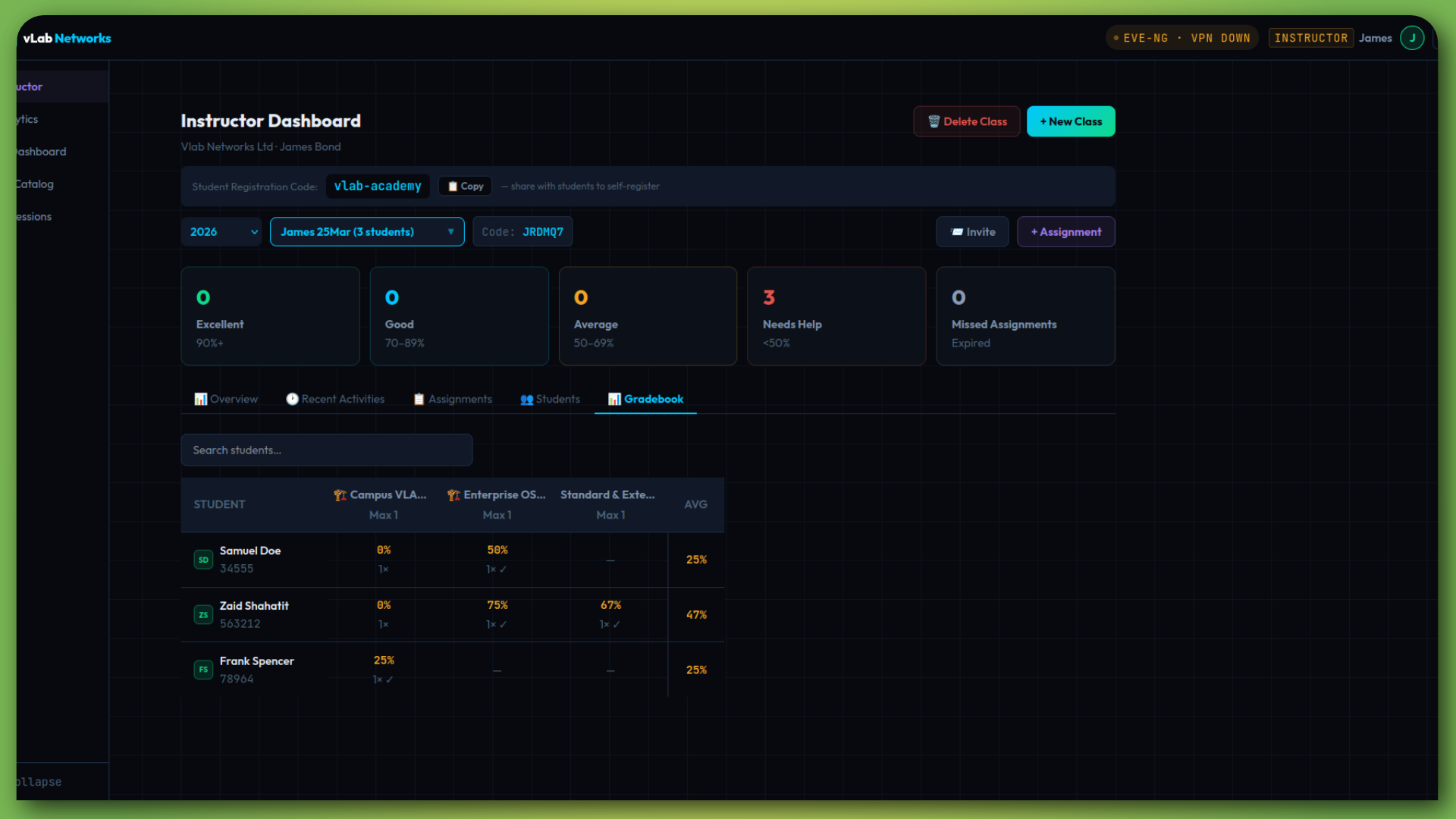
  • Gradebook with per-assignment, per-student scores
Instructor overview

Assignments & Gradebook

Assign labs, track completion, view scores — without manual config checking.

  • Completion progress bars per assignment
  • Average scores with performance tiers
  • Recent activity feed — real-time lab status
  • Overdue assignment alerts
Assignments
For Students

Launch a Lab in Seconds.
From Any Browser. 24/7.

No installs, no VPNs, no waiting. Click a lab, get a real Cisco terminal.

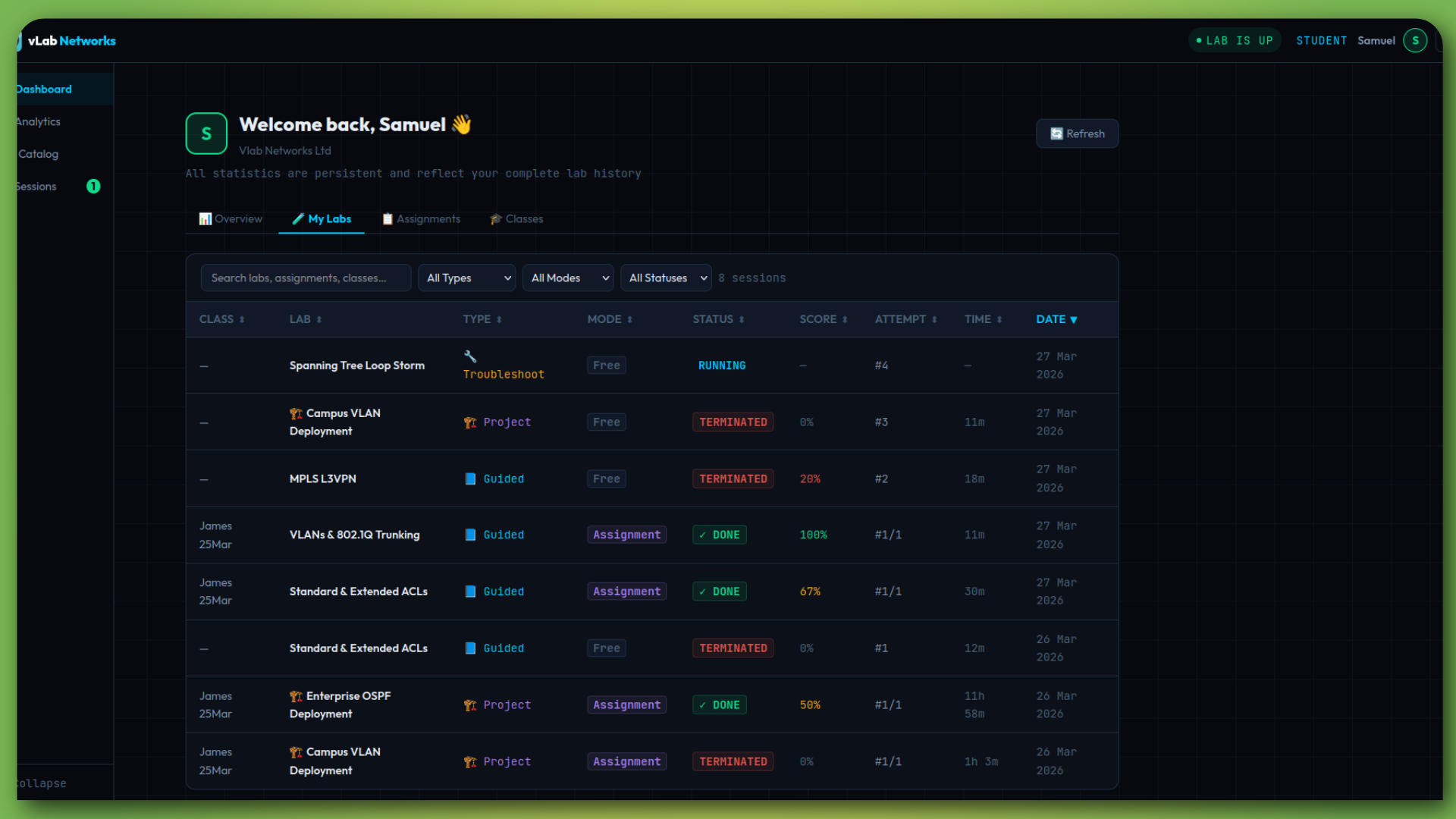
Student Dashboard

Total labs, completion rate, average score, time spent, performance by topic — all on one page.

  • Overview with key stats at a glance
  • Performance breakdown by certification topic
  • Due-soon panel for upcoming assignments
  • Full lab history with scores and times
Student dashboard

AI Lab Tutor

Stuck on a task? The AI tutor analyses your failed checks and points you toward the fix — without giving the answer away.

  • Context-aware — reads the active task
  • Analyses specific failed verification checks
  • Explains concepts on demand
  • Teaches troubleshooting instinct, not answers
AI Tutor
Outcomes

What Changes When You Switch to vLab

🎯

Real Troubleshooting Skills

Students graduate knowing how to diagnose and fix real network faults — not just configure them.

📈

Better Engagement

Dynamic faults and scored sessions create urgency. Students actually practise.

Easier Delivery

Zero hardware. Zero setup. Instructors focus on teaching, not infrastructure.

See It In Action

Book a 15-minute demo. We'll show you a live troubleshooting lab and exactly how deployment works.

Or email directly — info@vlabnetworks.co.uk